Virtual charge points
Spin up simulated chargers that speak OCPP 1.6 to the production AWS IoT gateway — same CSMS path your real hardware will use.
OCPP charger simulator
Exercise open OCPP against the DeviceNIQ Chargers CSMS — validate onboarding, go-live gates, and live session flows before chargers arrive on site.

Why it exists
DeviceNIQ Chargers is software for operators. The simulator lets platform, QA, and field teams prove the charging OS lifecycle before physical chargers are online.
Spin up simulated chargers that speak OCPP 1.6 to the production AWS IoT gateway — same CSMS path your real hardware will use.
Walk Provision → Commission → Operate with synthetic assets so onboarding gates, approvals, and console visibility are proven before field install.
Reproduce sessions, faults, and status transitions for regression tests, sales demos, and operator training — without depot downtime.
Connects to ocpp.chargers.deviceniq.com — the same open OCPP endpoint Chargers uses in production. No proprietary CSMS lock-in.
Typical flow
Desktop UI
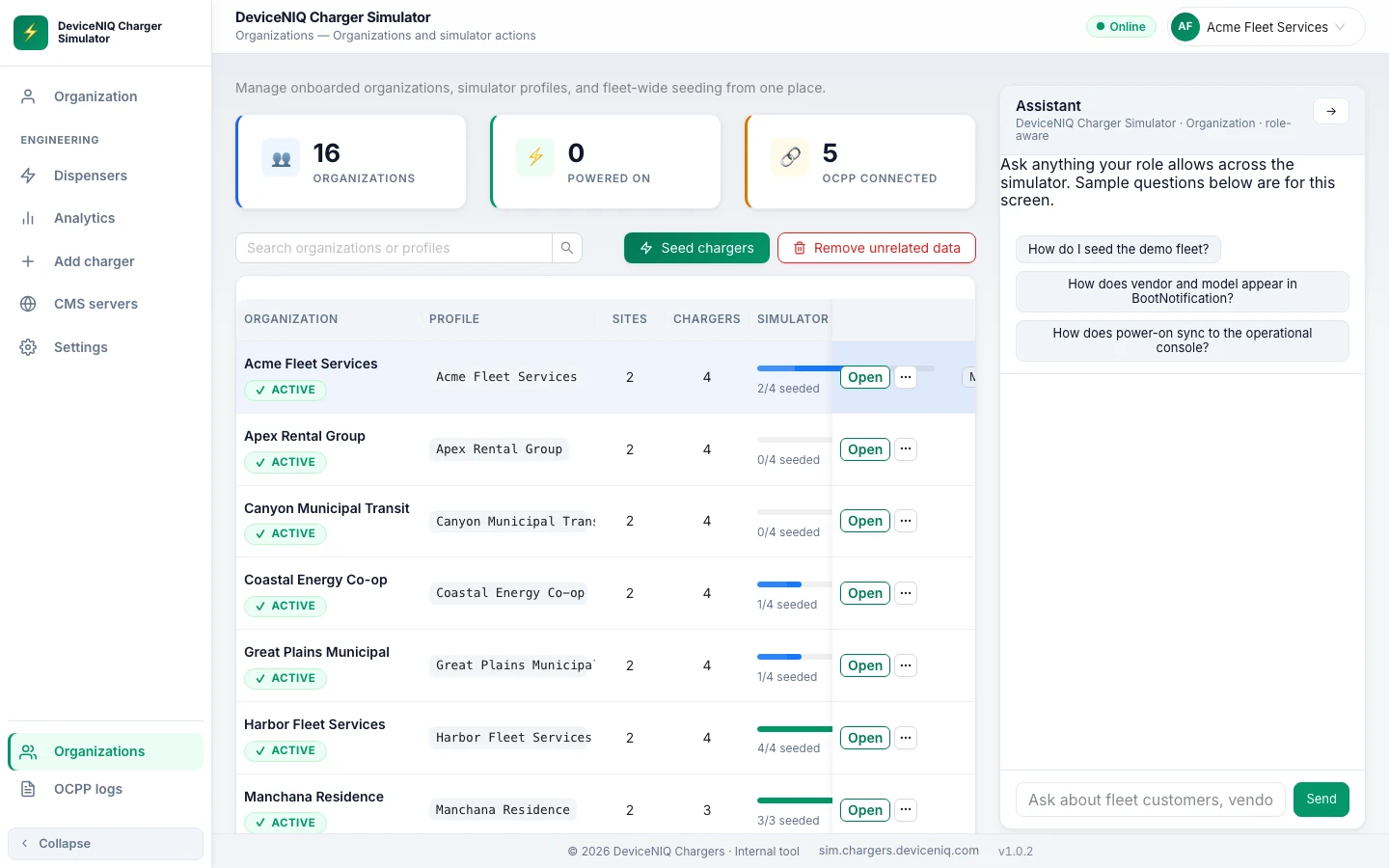
The full simulator lives on desktop — manage orgs, seed virtual chargers, and watch OCPP connection progress before you take the same flows onto a phone.
Access
The simulator UI is at sim.chargers.deviceniq.com. Employee VPN is required — same trust boundary as other internal Chargers operator tools.
Open the simulator on VPN, or book a technical walkthrough with our team.